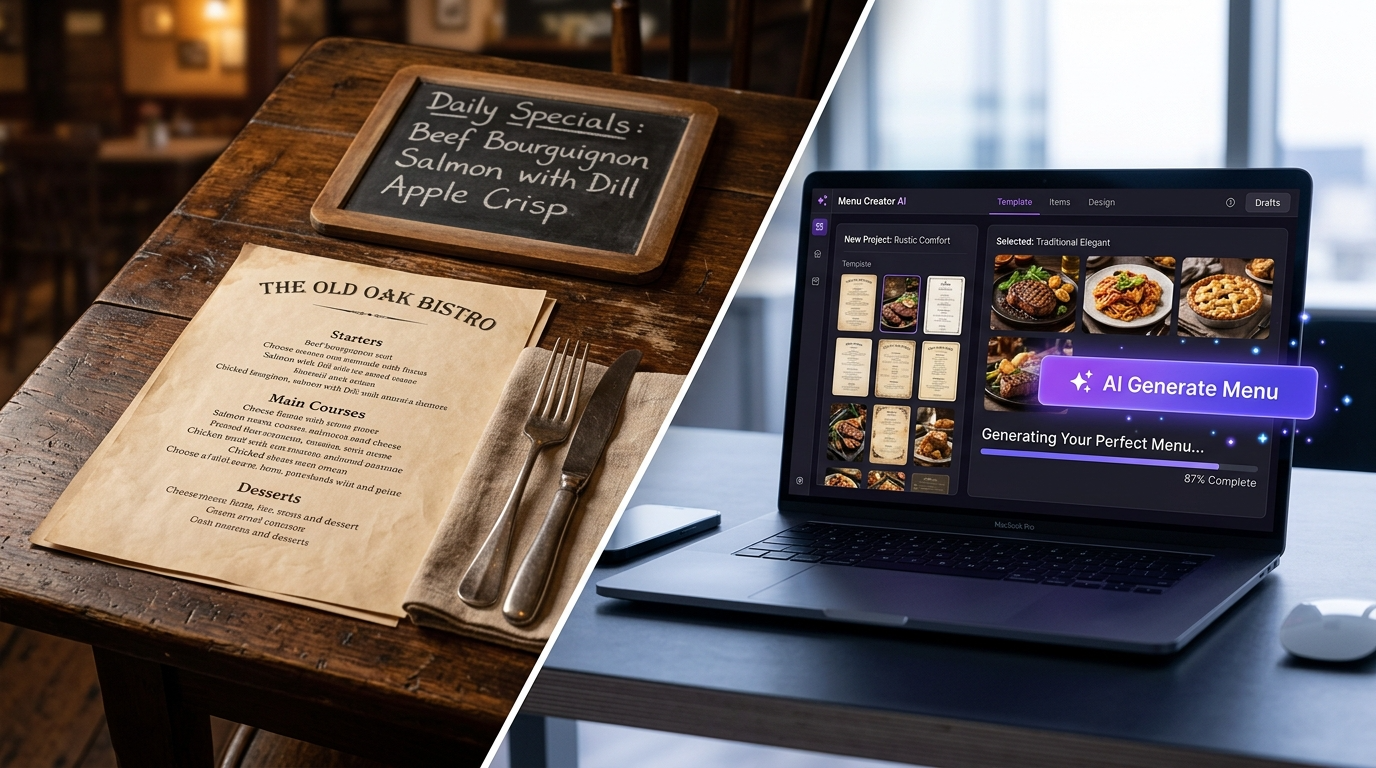
A restaurant menu is not just a list of dishes and prices. It is your most powerful sales tool, your brand statement, and — increasingly — a data-driven profit engine. In 2026, artificial intelligence has fundamentally changed what is possible: tools can now generate complete menu layouts from a text prompt, write descriptions that sell, suggest pricing based on food cost data, and produce print-ready PDFs in minutes rather than weeks.
But the landscape is crowded and confusing. Some tools are genuinely built for restaurants. Others are generic design platforms with a "menu template" category bolted on. And a growing number position themselves as AI-powered but deliver little more than a template library with an auto-fill feature.
This guide cuts through the noise. We have tested and researched every major AI menu design tool available in 2026, verified pricing against official sources, and assessed each from the perspective of a UK restaurant operator who needs something that actually works — not just something that demos well.
Why AI Menu Design Matters in 2026
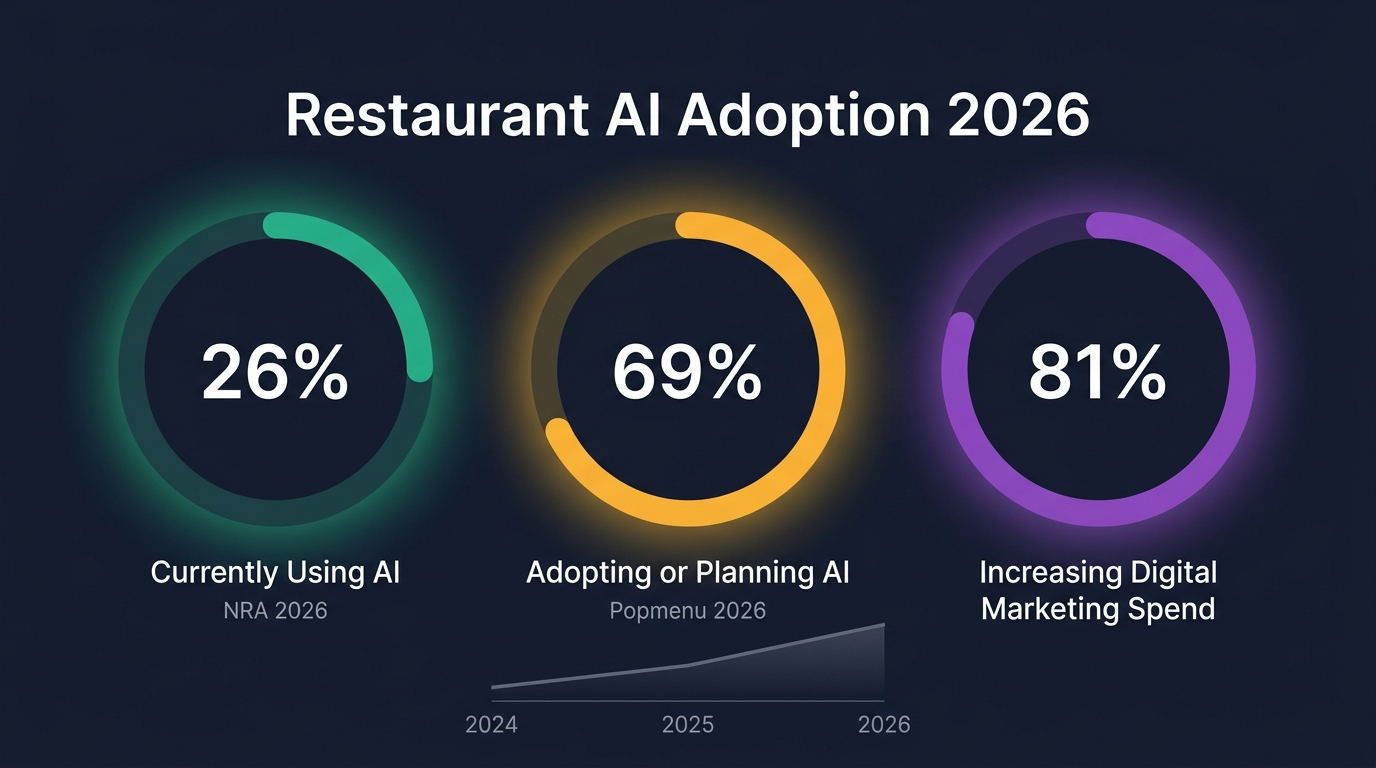
The restaurant industry's relationship with AI has shifted from curiosity to commitment. According to the National Restaurant Association's State of the Restaurant Industry 2026 report, 26% of restaurant operators are now actively using AI-related tools — and a Popmenu survey of 328 US restaurant leaders (February 2026) found that 69% are either using or planning to adopt AI, with 81% increasing their digital marketing investment.
Menu design is one of the most accessible entry points for AI adoption. You do not need to overhaul your POS system, retrain your entire team, or sign a multi-year contract. A good AI menu tool lets a restaurant owner or manager create a professional, on-brand menu in an afternoon — something that previously required a graphic designer, a food photographer, and several rounds of revisions.
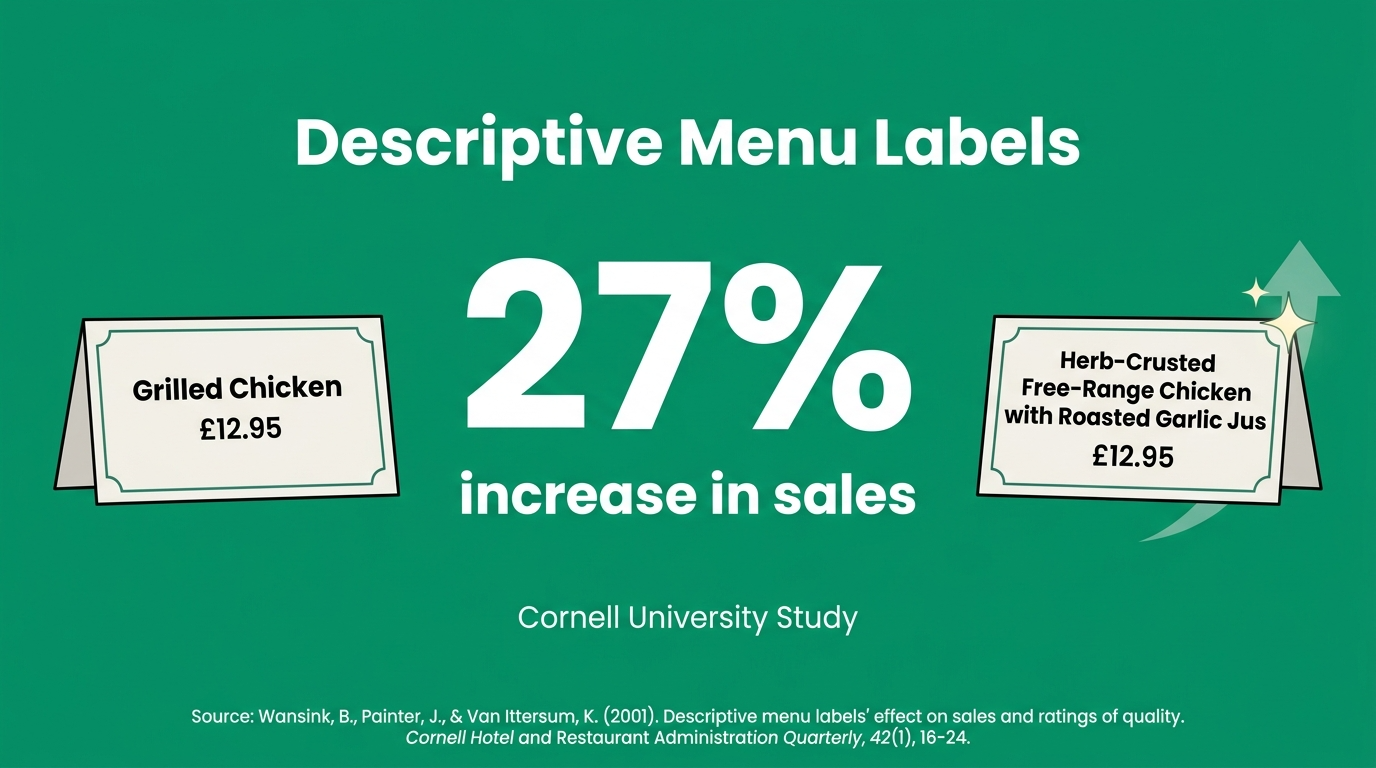
The business case is clear. A Cornell University study found that descriptive menu labels increased sales by 27% compared to plain labels. Menu psychology — how items are described, positioned, and visually presented — directly impacts what customers order and how much they spend. AI tools that help write better descriptions, suggest optimal layouts, and maintain brand consistency are not luxuries; they are competitive necessities.
What to Look For in an AI Menu Design Tool
Before comparing specific tools, it is worth establishing the criteria that actually matter for restaurant operators. Not all features carry equal weight, and many tools emphasise capabilities that sound impressive but add little practical value.
Restaurant-specific templates matter more than template quantity. A tool with 10,000 generic templates is less useful than one with 50 that are specifically designed for menus, with proper section structures, price alignment, and allergen display options.
AI-powered content generation is the differentiator in 2026. The best tools can write or improve dish descriptions, suggest section headings, and even recommend pricing adjustments based on food cost data. This goes beyond simple auto-layout.
Print-ready output remains essential. Despite the rise of digital menus, the vast majority of UK restaurants still need physical menus. The tool must export high-resolution PDFs at standard sizes (A4, A3, US Letter) with bleed marks and correct colour profiles.
Food cost and profitability integration separates menu design tools from menu engineering tools. A tool that connects design to GP% data allows you to make informed decisions about what to feature prominently — not just what looks attractive.
Allergen compliance is a legal requirement in the UK. Under the Food Information Regulations 2014, all 14 major allergens must be clearly declared. A menu design tool that includes allergen management saves significant time and reduces compliance risk.
Ease of updates is crucial for restaurants with seasonal menus, daily specials, or frequent price changes. If updating a single price requires opening a design file and re-exporting, the tool will become a bottleneck rather than an asset.
The Tools: Compared and Ranked
1. MenuMargin — Best for UK Restaurants Combining Design with Profitability
Website: menumargin.co.uk Pricing: Free (upload a menu, see your score and first findings); full menu audit £29 one-off; Pro £39/mo Currency: GBP
MenuMargin audits the menu you already have, then combines menu design with food cost tracking, GP% analysis and UK allergen recording once you add your own costs. Built specifically for the UK market, prices are in pounds sterling, allergen management covers all 14 UK-regulated allergens, and templates are designed for standard UK print sizes.
The AI features work on a credit system. The "AI Magic Button" (1 credit) generates description improvements and pricing suggestions based on your dish data. The Consultant Insights feature (available on Pro) adds deeper analysis based on the dish data you have entered. You can also scan existing menus (image or URL) to import dish data.
The design studio offers six venue-specific templates with five layout modes, drag-and-drop image placement, and print-ready PDF export in A4 and A3 formats. Once dish costs are entered, traffic-light colour coding shows GP% at a glance — green for on-target, amber for marginal, red for loss-making.
The limitation is that MenuMargin does not integrate with POS systems or inventory platforms, so food cost data must be entered manually. For operators who want connected, live data flowing from sales to menu design, this is a gap. But for independent restaurants and cafés that need affordable, UK-focused menu design with built-in profitability awareness, it is a strong fit.
Best for: Independent UK restaurants, cafés, and consultants who want design + costing in one tool.
2. Canva — Best General-Purpose Design Tool with Menu Templates
Website: canva.com Pricing: Free (limited); Pro £10.99/mo (UK) or $12.99/mo (US); billed annually £99.99/yr (UK) or $119.99/yr (US) Currency: Multi-currency
Canva is the default recommendation from most "best menu design" lists, and for good reason. It offers an enormous template library (thousands of menu-specific designs), an intuitive drag-and-drop editor, AI features through Magic Studio (background removal, text generation, image enhancement), and high-quality PDF export.
For pure design capability and ease of use, Canva is hard to beat. The free tier is genuinely usable — you can create and download a complete menu without paying anything. The Pro tier adds premium templates, Brand Kit (consistent fonts, colours, logos across designs), background remover, and 100GB storage.
The weakness for restaurants is that Canva knows nothing about food. It has no concept of GP%, food cost, allergen compliance, or menu engineering. It treats a menu the same way it treats a birthday card or Instagram post — as a design project, not a business tool. You can make a beautiful menu in Canva, but you will need to manage pricing, allergens, and profitability entirely separately.
Best for: Restaurants that already handle food costing elsewhere and need a powerful, affordable design tool for visuals only.
3. MustHaveMenus — Best Restaurant-Specific Design Platform (US-Focused)
Website: musthavemenus.com Pricing: $49/mo or $492/yr ($41/mo equivalent); additional locations $49/mo each Currency: USD
MustHaveMenus is purpose-built for restaurants and it shows. Over 25,000 restaurant-specific templates cover menus, table tents, social media posts, and digital menu boards. The editor is designed around menu workflows — adding sections, items, prices, and descriptions feels natural rather than forced into a generic design canvas.
The platform integrates with Toast and Square POS systems, meaning menu prices can sync automatically. It also offers professional printing services (order printed menus delivered to your door) and digital signage management, which is valuable for multi-location operators.
AI features are present but relatively basic compared to dedicated AI tools — the focus is on design efficiency rather than content generation. The $49/mo price point is higher than most competitors, but for a US restaurant that needs a comprehensive menu operations platform (design, print, digital boards, POS sync), it consolidates multiple tools into one.
The main limitation for UK operators is that MustHaveMenus is US-focused. Pricing is in USD only, templates lean toward American design conventions, and there is no UK allergen compliance feature. It is usable from the UK but not tailored for the UK market.
Best for: US-based restaurant groups needing an all-in-one menu operations platform with POS integration and professional printing.
4. iMenuPro — Best Budget Option for Print-Focused Menus
Website: imenupro.com Pricing: $16/mo or $11.25/mo billed annually ($129/yr) Currency: USD
iMenuPro has been in the restaurant menu space since 1994 (originally as SoftCafe) and its longevity shows in both strengths and limitations. On the positive side, it is laser-focused on printed menus. The patented style synchronisation automatically reformats your entire menu when you change a template — add an item and everything reflows perfectly. There are 100+ menu styles, 3,500+ graphics, QR code generation, and instant PDF printing.
The pricing is exceptionally clear: one plan, all features included, no upsells. At $11.25/mo on an annual plan, it is one of the cheapest dedicated menu tools available. The interface prioritises speed and simplicity over visual sophistication.
The downside is that iMenuPro feels dated compared to modern AI-powered tools. There are no AI features for description generation, no food cost integration, no allergen management, and the template designs, while functional, lack the contemporary polish of Canva or MenuMargin. There is also no free tier — though you can try it before subscribing.
Best for: Budget-conscious operators who need fast, reliable printed menus and do not require AI features or food cost integration.
5. Adobe Express — Best Free Design Tool for Occasional Use
Website: adobe.com/express Pricing: Free (5GB storage, limited AI credits); Premium $9.99/mo (100GB, full access) Currency: USD
Adobe Express is Adobe's answer to Canva — a simplified, web-based design tool with AI capabilities (powered by Adobe Firefly) and access to the Adobe ecosystem. The menu template library is smaller than Canva's but the design quality is high, and the AI features (text-to-image generation, generative fill, text effects) are genuinely impressive.
For a restaurant owner who is already in the Adobe ecosystem (using Photoshop or Lightroom for food photography, for example), Adobe Express offers seamless integration. The free tier is more restrictive than Canva's — limited AI credits and storage — but the Premium tier at $9.99/mo is cheaper than Canva Pro.
Like Canva, Adobe Express has no restaurant-specific intelligence. No food costing, no allergens, no menu engineering. It is a design tool, full stop.
Best for: Design-savvy operators already using Adobe products, or those who need high-quality AI image generation alongside menu design.
6. Venngage — Best for AI-Generated Menu Layouts from Scratch
Website: venngage.com Pricing: Free (limited exports); Premium $19/mo ($10/mo billed annually) Currency: USD
Venngage positions itself as an infographic and document design platform, but its AI Menu Generator is one of the more interesting AI-first menu tools available. You describe your restaurant concept, cuisine, and dishes, and the AI generates a complete menu layout including sections, descriptions, and styling. The output is editable and can be exported as PNG or high-resolution PDF.
The AI generation quality is surprisingly good for initial drafts. It is not going to replace a professional designer for a fine-dining tasting menu, but for a café or casual restaurant that needs a clean, well-structured menu quickly, the AI does most of the heavy lifting. The template library includes 100+ menu-specific designs.
Limitations include no food cost integration, no allergen management, and exports on the free tier are watermarked. The Premium tier at $19/mo (or $10/mo annually) is mid-range for what you get.
Best for: Operators who want AI to generate a first draft from a description, with manual refinement afterward.
7. Lovart AI — Best for AI-Generated Food Photography and Visuals
Website: lovart.ai Pricing: Free (100 credits); Starter $15/mo (2,000 credits); Basic $26/mo (3,500 credits); Pro $72/mo (11,000 credits) Currency: USD
Lovart is different from other tools on this list. It is not primarily a menu design platform — it is an AI Design Agent that can create complete visual designs from conversational prompts. For restaurant menu design specifically, Lovart's strength is generating realistic food photography and complete menu layouts without needing actual photographs.
This is genuinely useful for new restaurants that do not yet have professional food photography, or for operators who want to visualise a menu concept before committing to a photoshoot. You describe a dish, and Lovart generates a photorealistic image. You describe a menu layout, and it creates the design.
The credit-based pricing can be expensive for heavy use — the Pro plan at $72/mo only provides 11,000 credits, and complex designs can consume credits quickly. The output quality varies, and you will almost always need to edit text manually (AI-generated text in images is notoriously unreliable). There is no food costing, allergen management, or restaurant-specific workflow.
Best for: Restaurants needing AI-generated food imagery and concept visualisation, not day-to-day menu production.
8. Pixazo — Best Free AI Menu Generator for Quick Mockups
Website: pixazo.ai Pricing: Free trial (300 credits/mo); Pro $84/yr (~$7/mo) Currency: USD
Pixazo's AI Menu Maker is one of the newer entrants, and it targets speed above all else. Input your menu text — categories, items, prices — and the AI generates five complete layout options in seconds. The output is visual, colourful, and formatted for restaurant use. You can export as high-resolution PNG or PDF.
At $84/year ($7/month equivalent), the Pro plan is one of the cheapest AI-powered options available. The free trial is generous enough to test whether the tool works for your needs.
The trade-off is control. Pixazo generates layouts rather than letting you design them. If the AI output does not match your brand aesthetic, your editing options are limited compared to Canva or MenuMargin. There is no food cost integration, no allergen management, and the tool is better suited for digital menus or quick mockups than for print-quality output.
Best for: Operators who need a quick, cheap menu mockup and are comfortable with AI-directed design rather than manual control.
9. Popmenu — Best All-in-One Restaurant Marketing Platform (US)
Website: get.popmenu.com Pricing: Starter $179/mo; Essentials $299/mo; Premier $499/mo Currency: USD
Popmenu is not a menu design tool — it is a full restaurant marketing and ordering platform that includes interactive menu features. The menu is part of a broader system that encompasses your website, online ordering, marketing automation, and guest engagement tools.
The interactive menu feature displays dishes with photos, descriptions, and customer engagement metrics. AI-driven tools can tailor marketing messages based on guest preferences, and the platform provides performance analytics across the business.
At $179–$499/mo, Popmenu is significantly more expensive than any dedicated menu design tool. This pricing only makes sense if you are also using the website, ordering, and marketing features. For UK operators, the platform is US-centric with limited relevance to the UK market.
Best for: US restaurants looking for an all-in-one marketing and ordering platform where the menu is one component of a broader system.
Comparison Table
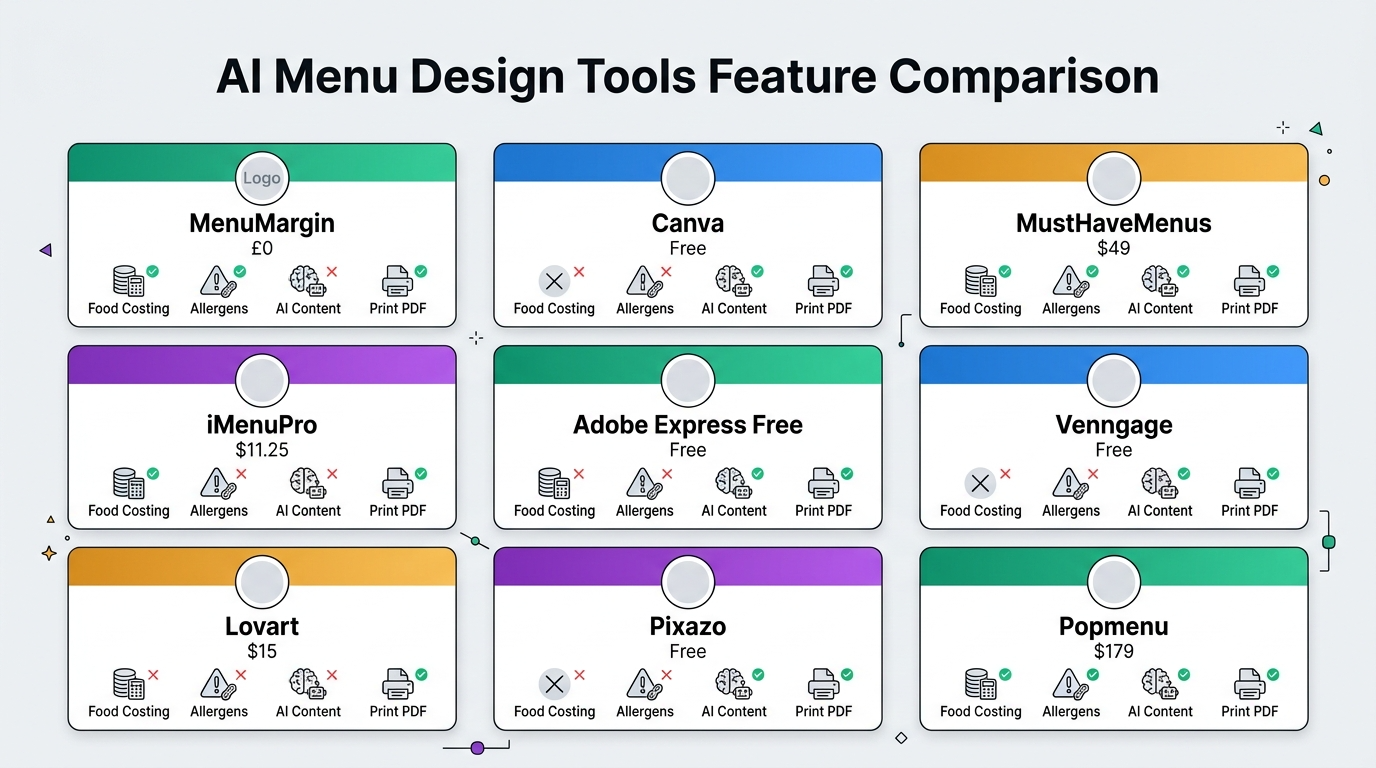
| Tool | Starting Price | AI Content Generation | Food Cost / GP% | UK Allergens | Print PDF | Restaurant-Specific | POS Integration |
|---|---|---|---|---|---|---|---|
| MenuMargin | Free scan; £29 one-off audit; £39/mo Pro | Yes (credit-based) | Yes (from your costs) | Yes (14 allergens, operator verifies) | Yes (A4/A3) | Yes | No |
| Canva | Free | Yes (Magic Studio) | No | No | Yes | No | No |
| MustHaveMenus | $49/mo | Basic | No | No | Yes (+ printing) | Yes | Yes (Toast, Square) |
| iMenuPro | $11.25/mo | No | No | No | Yes | Yes | No |
| Adobe Express | Free | Yes (Firefly) | No | No | Yes | No | No |
| Venngage | Free | Yes (menu generator) | No | No | Yes | Partial | No |
| Lovart | Free (100 credits) | Yes (design agent) | No | No | Limited | No | No |
| Pixazo | Free trial | Yes (layout AI) | No | No | Yes | Partial | No |
| Popmenu | $179/mo | Yes (marketing AI) | No | No | No (digital) | Yes | Yes |
How to Choose: A Decision Framework
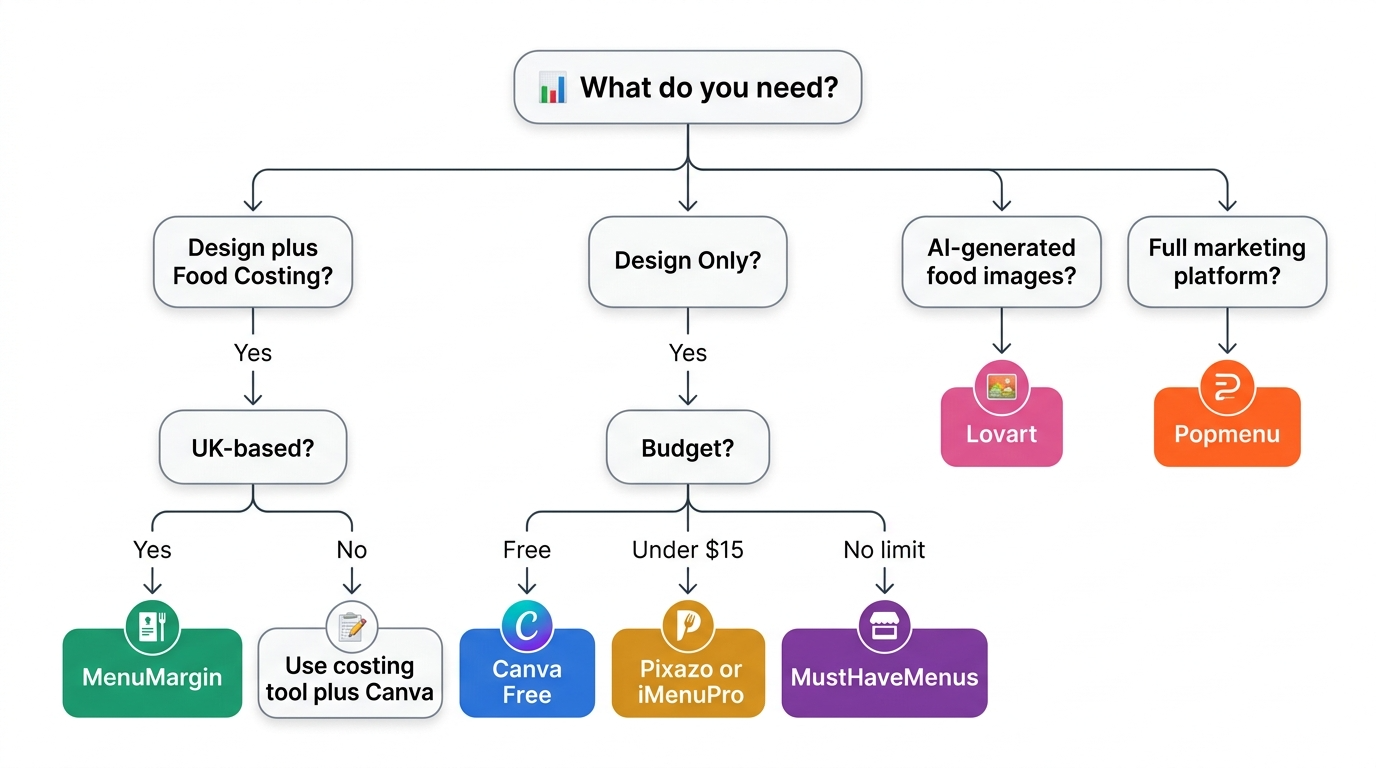
The right tool depends on what problem you are solving.
If you are a UK independent restaurant or café that wants menu design and food cost tracking in one place, MenuMargin is built specifically for that. The free menu scan lets you test it on your own menu before committing, and the full audit is a one-off £29 rather than a subscription.
If you need pure design power and already manage food costs separately (in a spreadsheet, or through a tool like Jelly or Brikly), Canva Pro is the best value. The free tier is surprisingly capable, and at £10.99/mo you get a tool that handles menus, social media, marketing materials, and more.
If you are a US restaurant group with Toast or Square POS and need menu operations at scale (design, print, digital boards, multi-location management), MustHaveMenus at $49/mo consolidates multiple workflows.
If you need the cheapest possible printed menu and do not care about AI or modern design, iMenuPro at $11.25/mo has been reliably doing this for three decades.
If you want AI to generate a complete menu from a description, Venngage or Pixazo can produce a usable first draft in minutes. Venngage is better for quality; Pixazo is cheaper.
If you need AI-generated food photography for a menu concept, Lovart is the most capable option, though credit costs can add up.
The Bigger Picture: Design Is Only Half the Equation
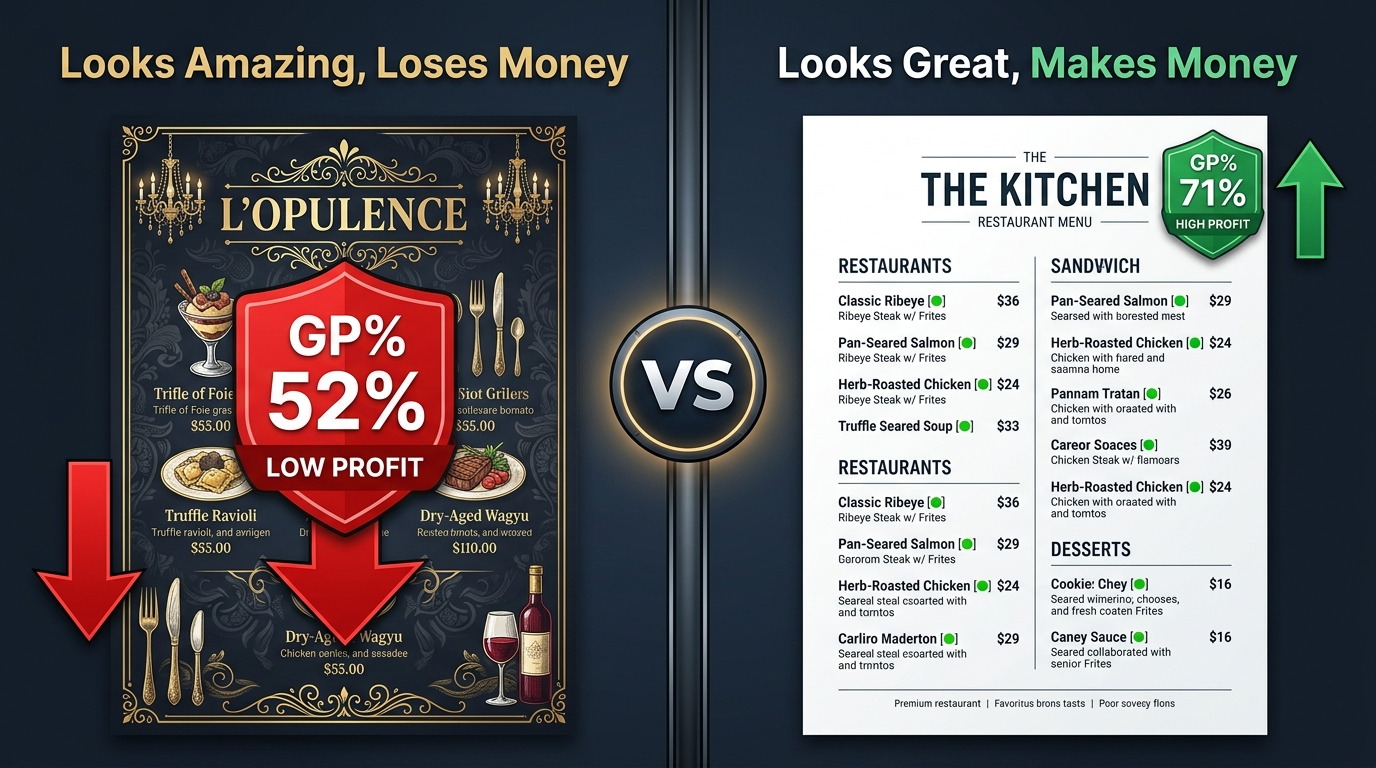
Here is the honest truth that most "best menu design tools" articles skip: a beautiful menu that loses money is worse than an ugly menu that is profitable. Design matters — it affects customer perception, dwell time, and order value. But design without data is guesswork.
The most effective approach in 2026 combines a design capability (whether that is MenuMargin's built-in templates, Canva, or a professional designer) with a profitability layer (food cost tracking, GP% analysis, menu engineering). Tools that integrate both — like MenuMargin does, albeit with limitations — save time and reduce the risk of designing a menu that looks fantastic but haemorrhages margin.
If your current workflow separates design and costing into different tools, ask yourself how often you actually cross-reference them. If the answer is "rarely" or "never," you are probably leaving money on the table.